📷 Camera View Check
Last updated March 30, 2026
As always, please refer to the latest version of the Stardust Operational Manual for the most up to date information
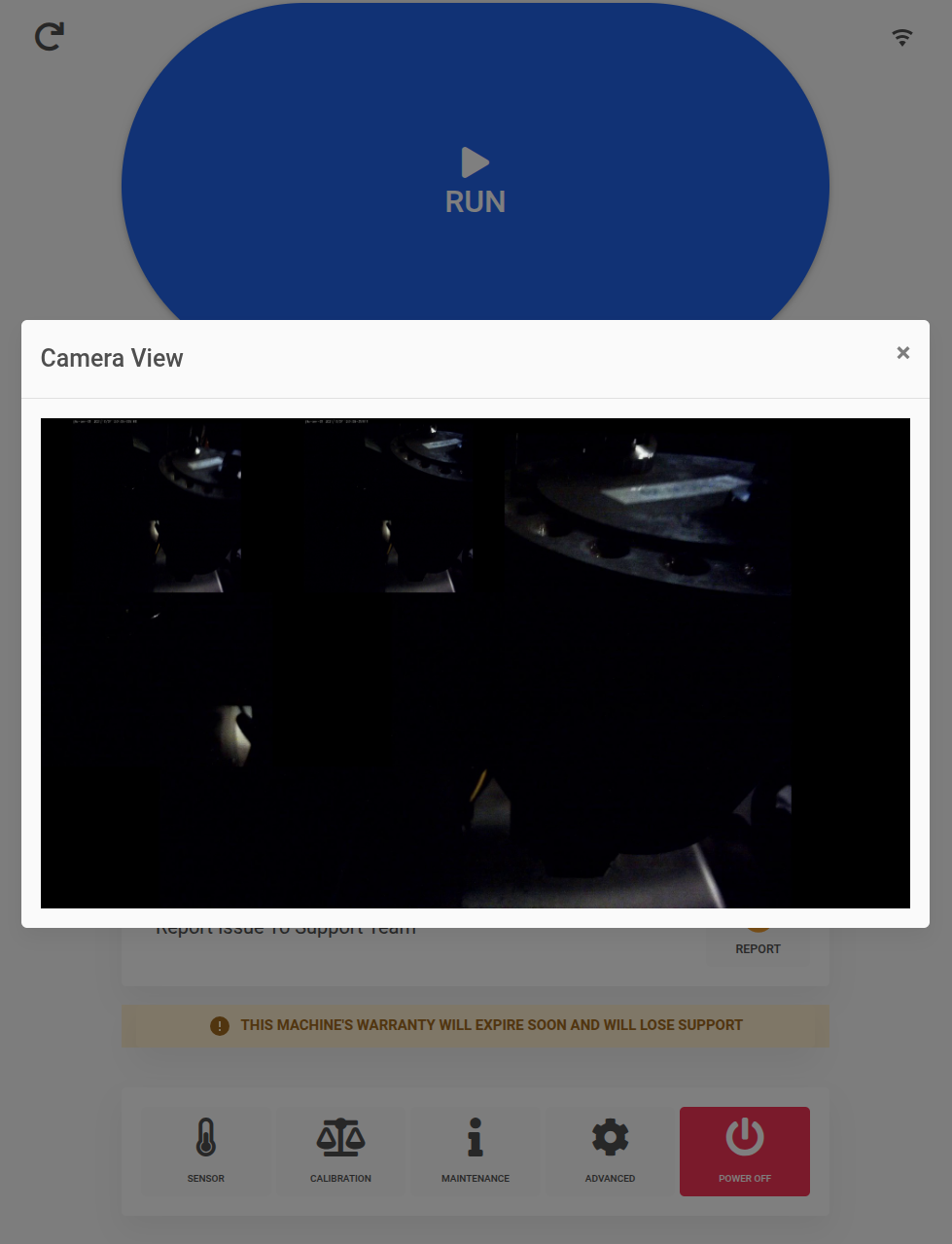
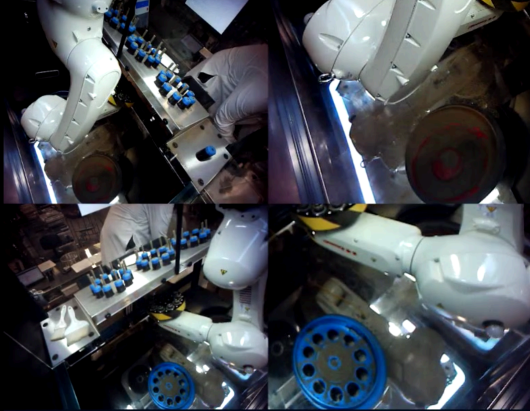
During cleaning, it’s possible to bump into the cameras and disturb their field of view. Check the camera position weekly to ensure they are pointed correctly. The Stardust Operational Manual says to use the example image for the desired camera fields of view.
🧽 Step 1: Perform This Check During Cleaning
During cleaning, be aware that the cameras can be bumped and their field of view can shift.
📅 Step 2: Check Camera Position Weekly
Check the camera position weekly to ensure the cameras are pointed correctly. You can find the camera button and the camera view in the Maintenance menu of the machine

🖼️ Step 3: Compare to the Manual’s Example Image
Use the example image in the Stardust Operational Manual to confirm the desired camera fields of view.
Was this article helpful?